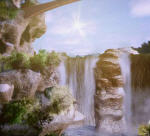
TweakAIR is an interactive rendering tool based on the AIR renderer. TweakAIR is designed to allow interactive tweaking of high-quality images with the full range of advanced rendering effects supported by AIR.
TweakAIR combined with the free AIR Space user interface provides a standalone interactive environment for shading and lighting 3D models.
TweakAIR accepts regular RIB files as input. At the beginning of an interactive session, TweakAIR creates a "deep" framebuffer for the current view, in about the time required for a normal preview rendering. Once the deep framebuffer has been generated, shading and lighting for the scene can be changed interactively, and the rendered image will update to reflect the changes.
Features:
No expensive preprocessing or large intermediate files
Works with the full gamut of AIR surface primitives
Tweak any parameter of any shader
Assign new shaders
Add and move lights
Multithreaded
Optimized shading for re-lighting
TweakAIR is supported by the following applications:
SiTex Graphics’ Air Stream plug-in for Maya SiTex Graphics’ RhinoAir plug-in for Rhino 4 SiTex Graphics’ AIR Space user interface on Windows
Developers: Adding TweakAIR support to an existing plugin or application is straightforward with the aid of the TweakAIR developer’s kit, available by request to registered TweakAIR users and developers.
Feature Summary
Multithreading Fast Scanline Rendering Ray Tracing Programmable Shading Global Illumination True Displacement Area Lights Automatic Meshing Trimmed NURBs Subdivision Meshes Curves/Hair/Fur Particles Blobbies Caustics HDR Input and Output Procedural Modeling Ambient Occlusion Subsurface Scattering